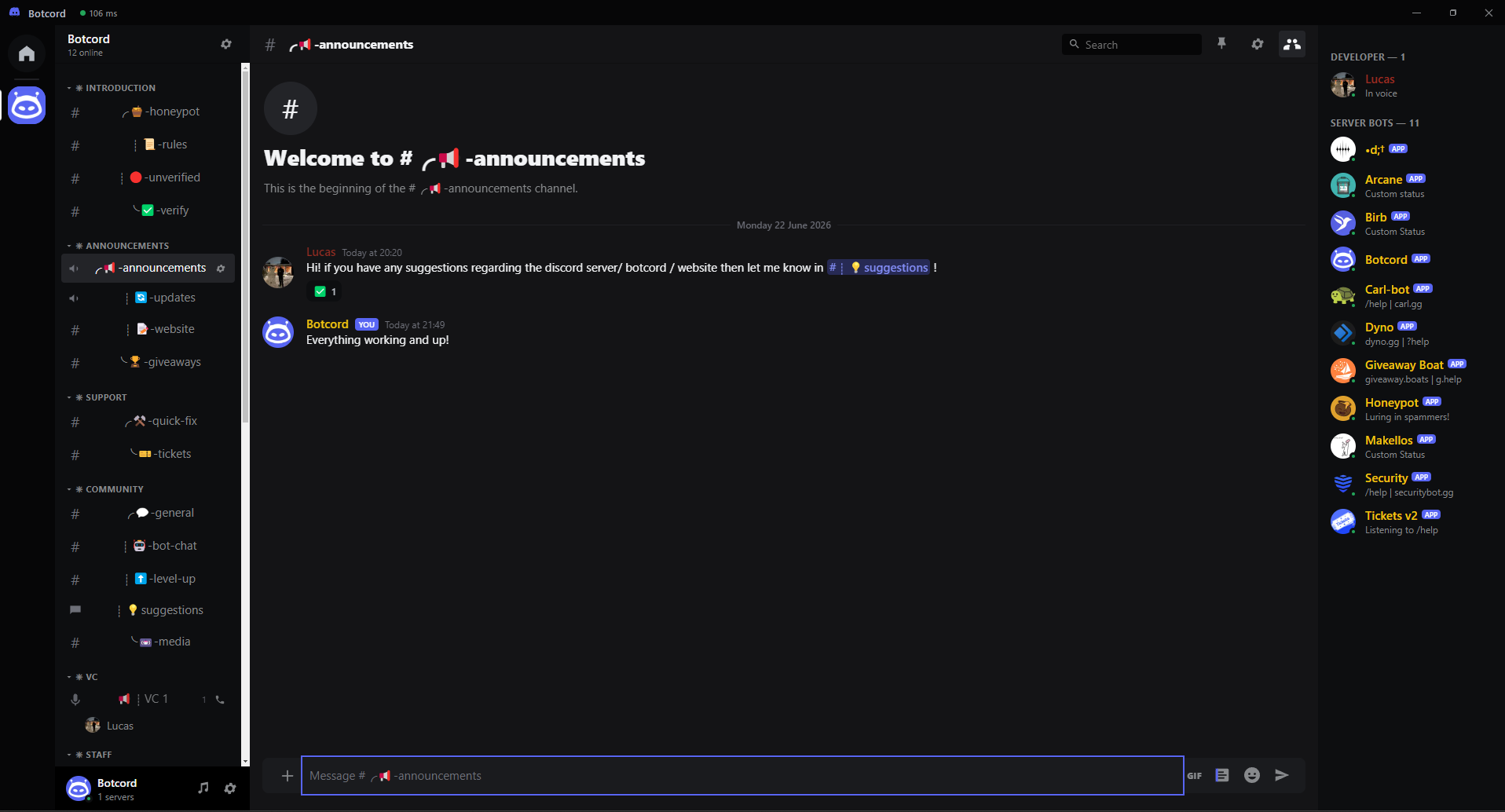
Log in with your bot token and get a full Discord-style workspace — manage servers, channels & members, rich chat with GIFs and emoji, pins, search, voice & music — in one fast, native app.
for Windows & macOS
🔑
Secure login
Your bot token is encrypted with your OS keychain and never leaves your device.
💬
Rich chat
Markdown, custom emojis with a : autocomplete, images, replies, edits, reactions, GIFs and a right-click menu.
🛠️
Server management
Manage roles, create/edit/delete channels and their permissions, and moderate members — assign roles, time out, kick or ban.
📌
Pins & search
Pin messages, search any channel and jump straight to the result with a highlight.
🎵
Voice & music
Join voice channels and play from YouTube, SoundCloud, Spotify links, search, or local files.
🤖
Multiple bots
Log in to several bots and switch between them instantly — no logging out, tokens stay encrypted.
👥
Members & DMs
See who's online grouped by role, edit your bot's profile, and DM users your bot shares a server with.
🎨
Themes
Light, Dark, Ash, Onyx, OS-sync, 19 color themes and a custom accent.
⚡
Fast & native
Built on Electron + discord.js. Auto-updates itself on Windows & macOS when a new version ships.